Module
Timestamps
With the Timestamps module your team documents process times where they happen: in the operating room. The data is immediately available in the OR schedule, in the dashboards and for quality assurance.
Features
Timestamp list
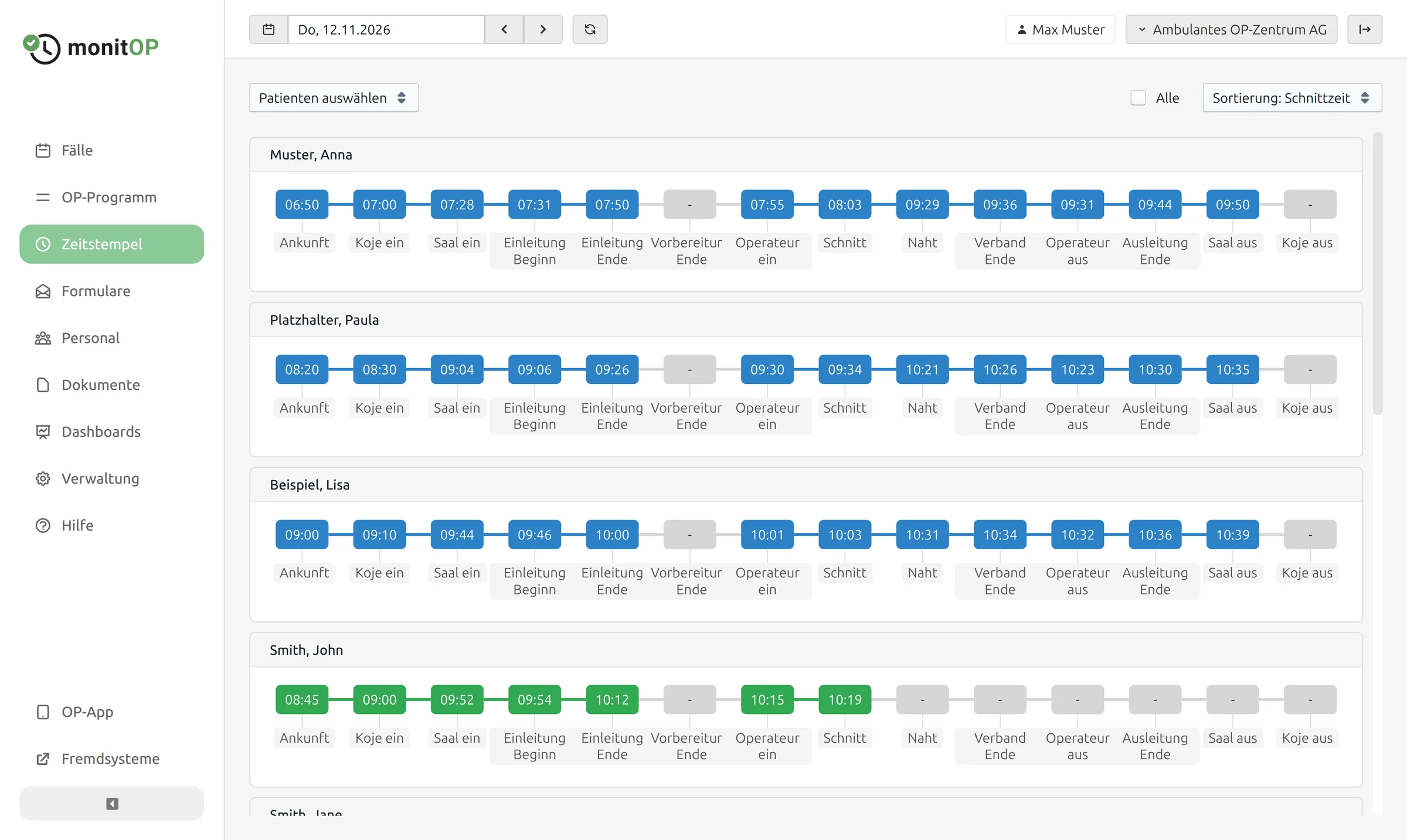
The timestamp list shows all cases of a day with their timestamps, e.g. arrival, entering the room, induction, incision, suture and leaving the room. You decide which timestamps are recorded.
Setting timestamps
Set a timestamp with one click. Add missing times and correct wrong ones; corrected times remain recognisable as such.
OR app
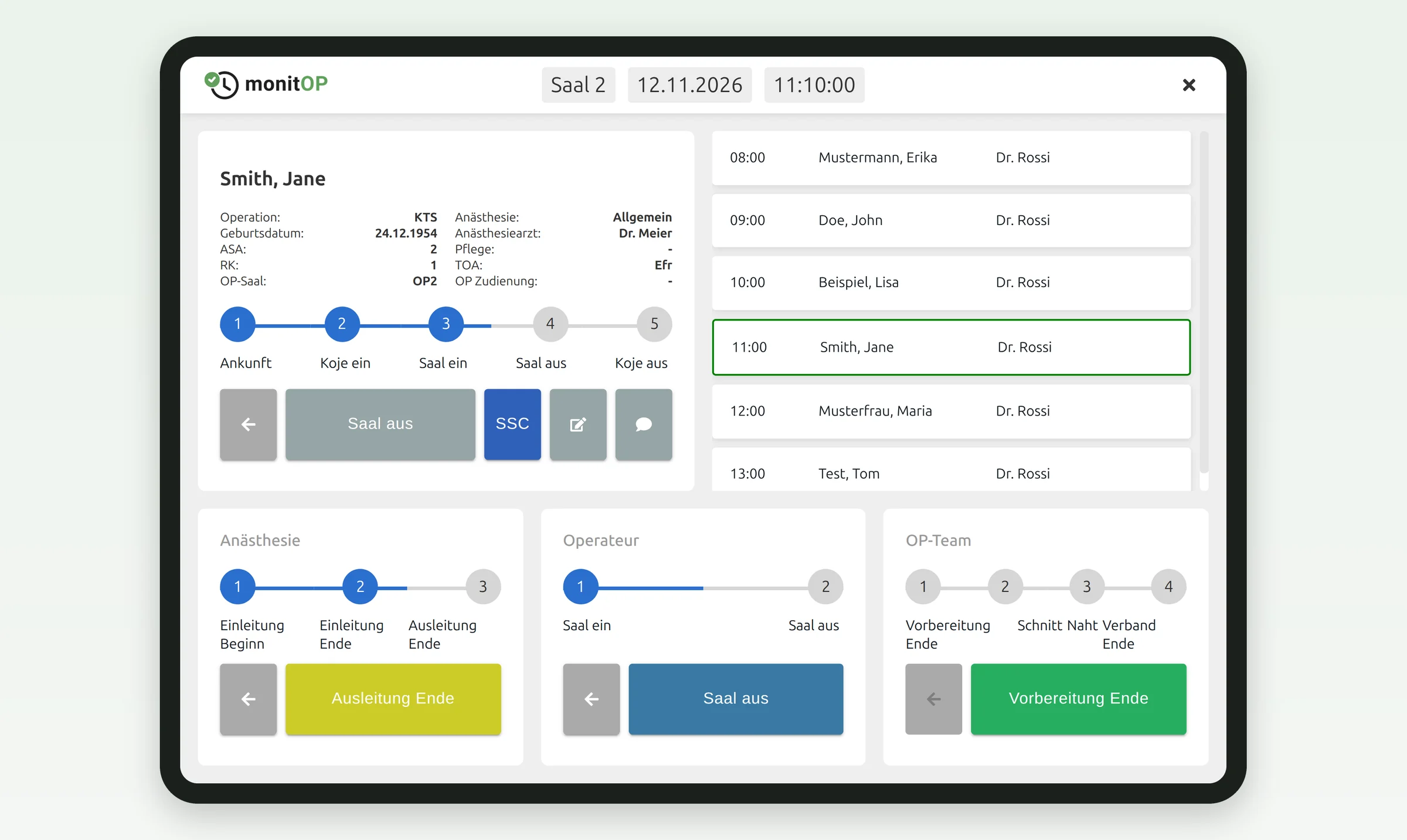
The OR app is made for the tablet in the operating room. It shows the cases of the room and, for each professional group, the next step as a large button. One tap is enough, no recording after the fact.
Surgical Safety Check
Your team documents Sign In, Team Time Out and Sign Out in the OR app or on a PC. The SSC dashboard shows how consistently the check is carried out.
Live in the OR schedule
Every recorded timestamp appears in the OR schedule immediately, so planners see in real time which procedures are completed and where the day is shifting.
Contact
Are you interested in MonitOP? We would be happy to show you in a non-binding demo how MonitOP can support your organisation.
Book a demo