Module
OR Planning
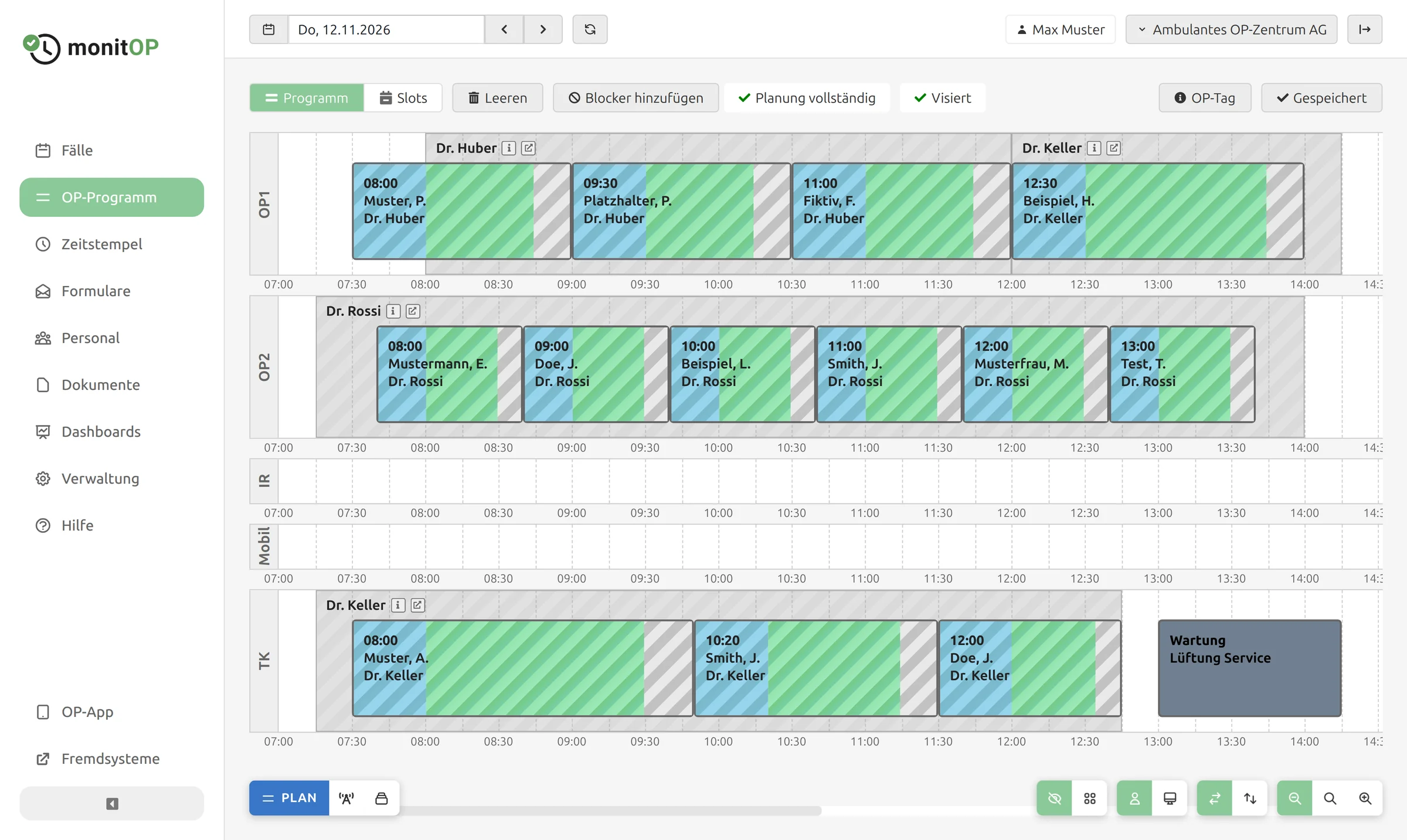
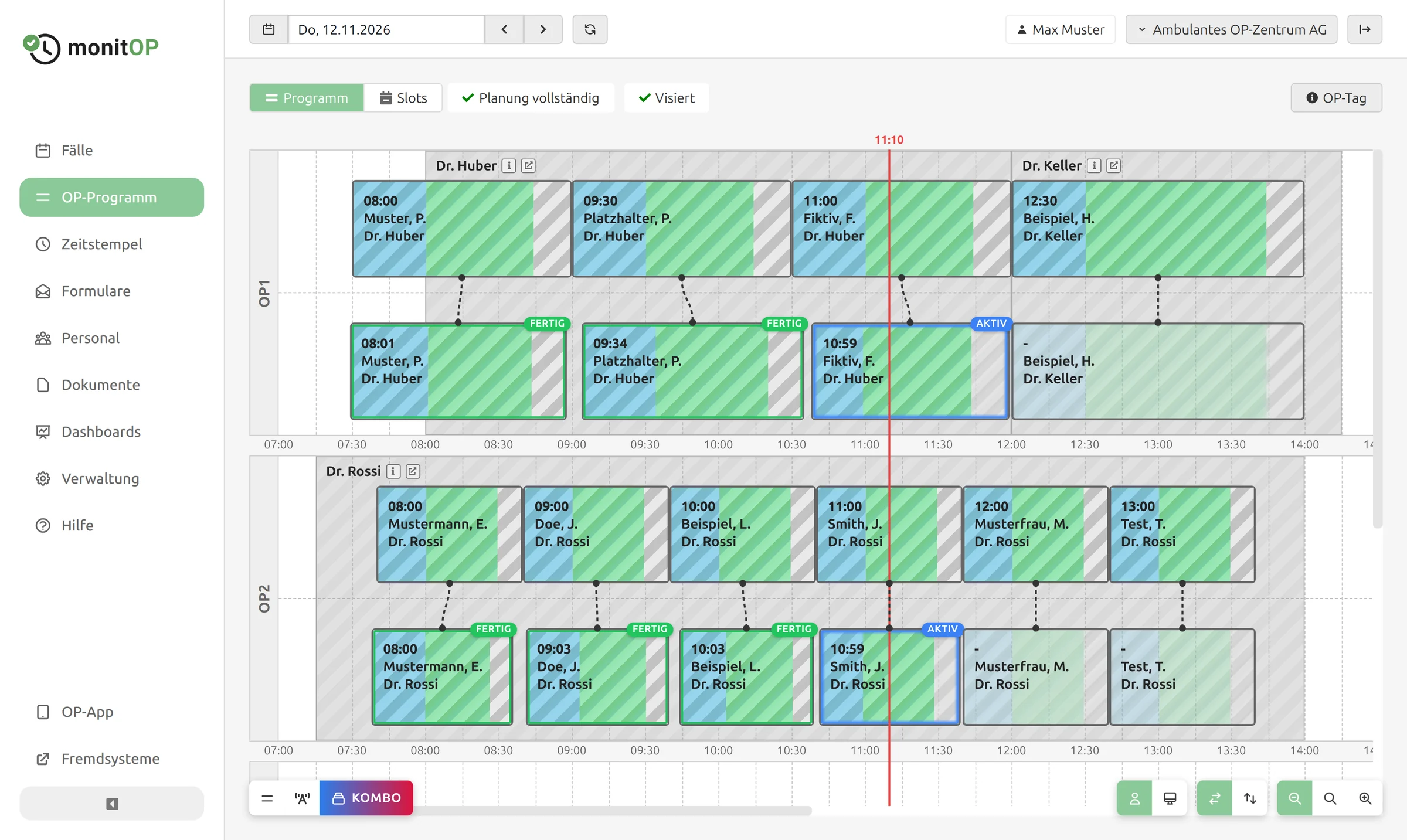
With OR Planning you build your OR schedule with drag and drop, inform your patients about their admission and keep an eye on the day: as soon as the first timestamps are recorded, you see the plan and the actual course of the day in the same view.
Features
Planning procedures
Drag the procedures of a day into the operating rooms and to the right time. Each case shows its preparation time, surgery duration and changeover time, so you spot gaps and overlaps immediately. Past days are locked.
Live and combo views
The live view shows in real time which procedures are completed, which are in progress and where delays occur. The combo view places plan and actual times on top of each other, ideal for reviewing a day.
Slot planning
Assign fixed time windows to your surgeons, once or as a recurring slot series. Individual slot entries can be cancelled if needed. The slots appear directly in the OR schedule.
Blockers
Blockers reserve a room, e.g. for maintenance, cleaning or as an emergency reserve. Labels with a colour and default duration show the reason at a glance.
OR day and sign-off
Record the person in charge as well as internal and external notes for each day. The professional groups involved sign off the schedule directly in MonitOP, so everyone agrees with the plan.
Admission
MonitOP automatically reminds your patients of their admission time by email or text message. The patient confirms via a link, and for every case you see whether the planned, communicated and confirmed admission times match. If a procedure is moved, MonitOP alerts you.
Equipment
Assign equipment such as an image intensifier to individual cases. The OR schedule shows which procedure needs which device, and MonitOP warns you if a device is scheduled in several rooms at the same time.
OR schedule export
Export the finished OR schedule as an Excel file, e.g. for surgeons and partners.
Contact
Are you interested in MonitOP? We would be happy to show you in a non-binding demo how MonitOP can support your organisation.
Book a demo